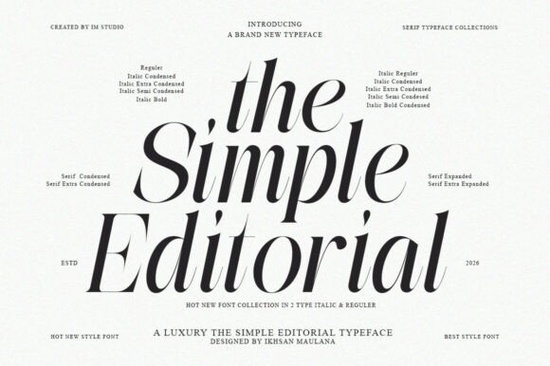
If you’ve been searching for a serif font that feels both timeless and fresh, The Simple Editorial Font might be exactly what your next project needs. It’s not trying to reinvent the wheel it’s just really good at being the kind of typeface you reach for again and again. Whether you’re designing a boutique product label, laying out a zine, or building a brand identity with quiet confidence, this font holds its own without shouting.
What makes it special? It carries the warmth of vintage print think old magazines, classic signage, mid-century ads but doesn’t feel dated. You can pair it with minimalist layouts or rich textures, and it adapts without losing character. That’s rare in a serif font, especially one that comes with 15 styles (9 weights + matching italics) and refined ligatures that add subtle polish to headlines or logos.
Who actually benefits from using The Simple Editorial?
It’s built for real-world use, not just pretty mockups. Here’s who gets the most out of it:
- Small business owners creating packaging, labels, or storefront signs that need to feel premium without being fussy.
- Print-on-demand sellers looking for fonts that photograph well on mugs, totes, or apparel especially those going for a heritage or editorial vibe.
- Designers and art directors working on editorial spreads, brand systems, or campaigns where typography needs to carry tone and texture.
- Crafters and hobbyists who want their personal projects wedding invites, recipe cards, handmade journals to look intentionally designed, not slapped together.
And if you like fonts with personality but hate ones that feel overused, you’re in good company. This isn’t another trendy script or geometric sans. It sits comfortably between classics like Sweetberry and more structured options like Montega, offering something distinct without being distracting.
How does it handle different design contexts?
One of the best things about The Simple Editorial is how it scales. The lighter weights work beautifully for body text or delicate branding elements, while the heavier styles command attention on posters, book covers, or social media graphics. The italics aren’t just slanted versions they’re thoughtfully redrawn, which matters when you’re setting pull quotes or accent lines.
Ligatures are included but not forced. You can toggle them on for extra elegance in logos or headlines, or leave them off for cleaner, more functional layouts. That flexibility is huge when you’re juggling multiple deliverables or clients with different tastes.
For comparison, if you’ve used Monarch Heritage for its ornate charm or Sharp History for its crisp authority, The Simple Editorial slots in as the balanced middle ground readable, stylish, and quietly confident.
Is it worth buying if I already have other serifs?
Maybe. If your current collection leans heavily modern, geometric, or ultra-thin, this adds warmth and weight variety you might be missing. If you mostly use display serifs with lots of flair, this gives you something more restrained for longer text or subtler branding moments.
It also plays well with others. Try pairing the bold weight with a clean sans-serif for contrast, or layering the italic over textured backgrounds for editorial depth. Because it’s rooted in print history but designed for digital workflows, it renders cleanly on screen and prints sharply no fuzzy edges or awkward spacing surprises.
You can see the full range and grab your license here: The Simple Editorial Font.
What should I try first after downloading?
Don’t overwhelm yourself with all 15 styles at once. Start simple:
- Pick one headline style maybe Medium Italic or Bold and test it on a mockup you’re already working on.
- Turn ligatures on and off to see how they affect rhythm and spacing in short phrases.
- Try pairing it with a neutral sans-serif (like Inter or Helvetica Neue) to let the serif do the talking.
- Use the thinnest weight for captions or secondary text it’s surprisingly legible at small sizes.
If you’re still exploring serif options, don’t miss this dedicated page for usage examples and stylistic comparisons. Sometimes seeing a font in context helps more than specs ever could.
Quick checklist before you start:
- Install all weights so you can easily switch between them in your design app.
- Check OpenType features (ligatures, alternates) in your software they’re worth enabling.
- Test print or export a sample to make sure it holds up in your intended medium.
- Save your favorite pairings or scale combinations as presets you’ll reuse them.
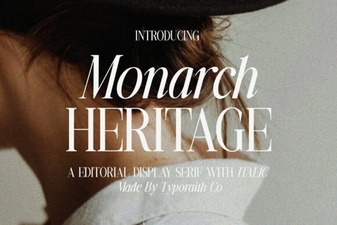 Monarch Heritage Font for Modern Typography Projects
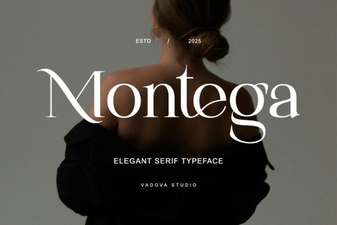 A Modern Serif Font for Creative Projects
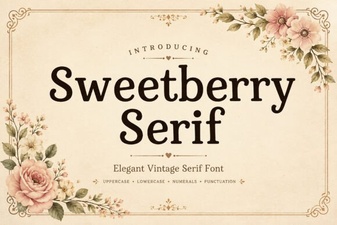 Sweetberry Serif: Design Elegance for Modern Projects
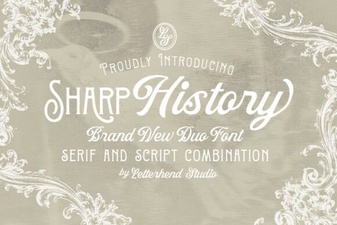 Sharp History Font for Modern Design Projects
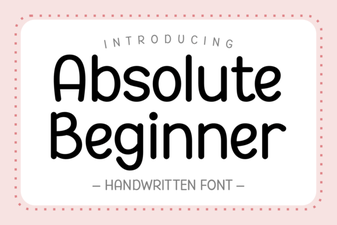 Design Tips for Absolute Beginner Font Projects
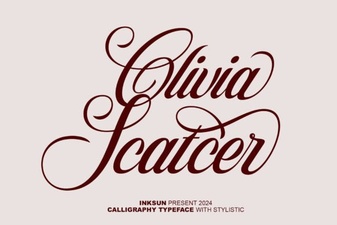 Olivia Scatter Font for Creative Designs