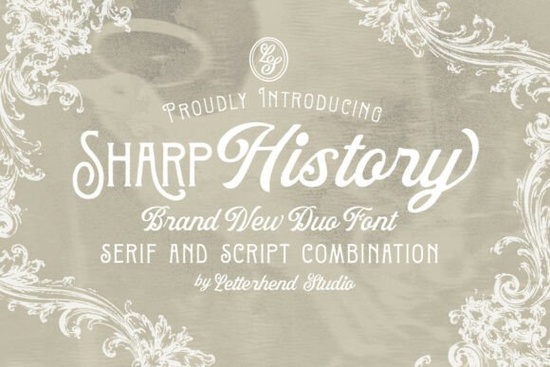
If you’ve been searching for a font that brings warmth, character, and a touch of vintage elegance to your designs, Sharp History Font might be exactly what you need. It’s not just another typeface it’s a pair: a decorative serif with ornamental flair, paired with a smooth, flowing script that feels handwritten but polished. Whether you’re designing wedding invites, branding materials, or greeting cards, this duo gives you flexibility without sacrificing cohesion.
What kinds of projects work best with Sharp History?
This font shines in contexts where personality matters. Think:
- Wedding stationery The script is perfect for names and vows; the serif anchors dates and details with quiet authority.
- Small business logos Especially bakeries, boutiques, florists, or artisan brands that want to feel handcrafted and timeless.
- Packaging and labels The contrast between structured serif and soft script creates visual interest on jars, bags, or boxes.
- Editorial layouts Pull quotes in the script font add emotion; body text or captions in the serif keep things readable.
- Greeting cards and social media graphics Great for birthdays, anniversaries, or seasonal messages that need charm without clutter.
It’s also worth noting how well it pairs with other vintage-inspired fonts. If you like the structure of Monarch Heritage or the editorial crispness of The Simple Editorial, you’ll find Sharp History complements them naturally especially when layered or used for contrast within the same design.
How does the script hold up at smaller sizes?
The script in Sharp History was designed with legibility in mind. While it has graceful curves and natural flow, it doesn’t get tangled or muddy when scaled down. That said, for anything under 12pt like fine print on packaging or footnotes stick to the serif version. Save the script for display use: headlines, names, taglines, or decorative accents.
If you’re working on digital products or print-on-demand items, test both weights at your intended output size. Some scripts lose their charm when printed small or viewed on low-res screens, but Sharp History holds its shape better than most especially compared to heavier alternatives like Sweetberry Serif.
Can I mix it with modern sans-serifs?
Absolutely. One of the strengths of Sharp History is its balance. The serif has enough detail to feel vintage but not so much that it clashes with clean, contemporary layouts. Try pairing it with a minimalist sans-serif (like Montserrat or Lato) for contrast that still feels intentional.
For example: Use Sharp History Script for your headline (“Handmade With Love”), then switch to a neutral sans for supporting text (“Available in three sizes. Ships in 3–5 days.”)
This approach works especially well for Etsy shops, Instagram carousels, or product pages where you want to evoke nostalgia without looking outdated. And if you’re already using Montega in your brand kit, Sharp History can slot in as an accent font for seasonal campaigns or limited editions.
What file formats come with the download?
You’ll get standard OTF and TTF files, which work across Adobe apps, Canva, Affinity, Silhouette Studio, Cricut Design Space, and most major platforms. No special software required. Installation is drag-and-drop on Mac or Windows, and mobile users can load them into Procreate or Adobe Fresco with minimal fuss.
There’s also a PDF guide included with glyph maps and stylistic alternates helpful if you want to swap out certain letters for more flourish or variation. Not every letter has alternates, but key characters (like capital A, Q, Y, and lowercase g, k, y) do, giving you room to customize without overcomplicating.
Is it beginner-friendly?
Yes. You don’t need to be a typography expert to make this font work. The pairing is pre-balanced meaning the weights, x-heights, and proportions are designed to sit well together. Just pick one style for primary text and the other for accents, and you’re set.
Even if you’re new to design tools, you can start by using the script for names or quotes and the serif for everything else. As you grow more comfortable, experiment with layering, color fills, or drop shadows to add depth.
Quick checklist before you start:
- Install both font files Don’t skip the script or the serif; they’re meant to be used together.
- Test readability Especially if printing or using on merchandise.
- Check licensing Personal and commercial use is covered, including POD platforms like Redbubble and Printful.
- Save a backup Always keep your original download folder in case you need to reinstall later.
And if you’re exploring similar styles, take a look at Sharp History Font alongside others in Creative Fabrica’s serif collection sometimes the right font isn’t the first one you try, but the one that fits your project’s mood just right.
Get Started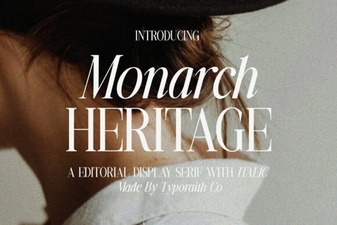 Monarch Heritage Font for Modern Typography Projects
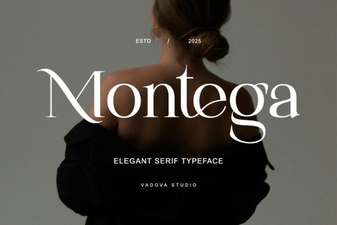 A Modern Serif Font for Creative Projects
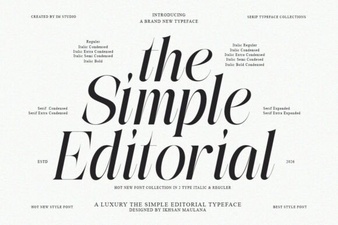 The Simple Editorial Font for Modern Design Projects
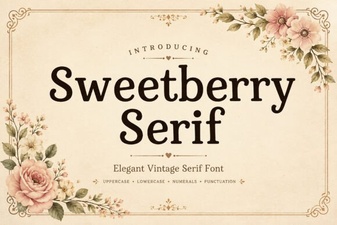 Sweetberry Serif: Design Elegance for Modern Projects
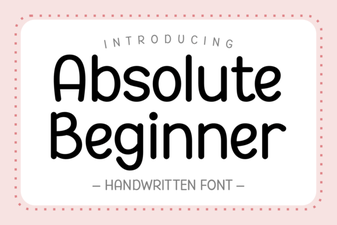 Design Tips for Absolute Beginner Font Projects
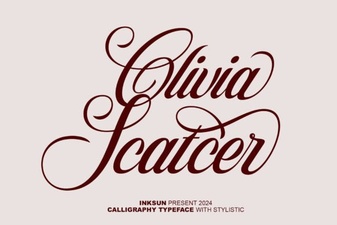 Olivia Scatter Font for Creative Designs