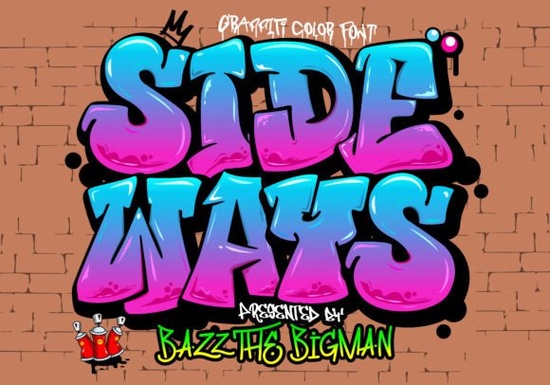
If you’ve been scrolling through bold, attention-grabbing fonts for your next design project, you might want to pause and take a closer look at Sideways Font. It’s not your average typeface it’s a graffiti-styled color font with that raw, street-art energy perfect for t-shirts, sportswear, logos, or even promotional posters. The kind of font that doesn’t whisper it shouts from the wall.
What makes Sideways stand out is its built-in color layers. That means when you drop it into compatible software like newer versions of Photoshop or Illustrator, you get vibrant, multi-hued letters without needing to manually recolor or layer anything. If you’re designing merch or branding materials and want something that feels alive and urban, this could be your shortcut to standout visuals.
Who should actually use this font?
It’s ideal if you’re a print-on-demand seller looking for eye-catching text for hoodies or tote bags. Small business owners creating their own ads or social media graphics will find it useful too. Crafters using Silhouette machines can also make good use of it as long as they’re aware of compatibility limits (more on that below).
Even hobbyists who just love playing with typography for fun projects think birthday invites with edge, skate deck art, or zine covers will enjoy how much personality Sideways brings with zero extra effort.
Wait what’s a color font, and will my software handle it?
Good question. A color font (technically called OpenType-SVG) is a single font file that contains multiple colors and sometimes even textures or gradients inside each letter. Regular TTF or OTF fonts? They’re flat one color only, no matter what app you use.
That’s why Sideways won’t work in Cricut Design Space if you try loading the standard OTF or TTF files. But don’t panic there are workarounds. You can design in Photoshop or Illustrator first, then export your text as a PNG or SVG to upload into Cricut. Not ideal for everyone, but totally doable if you’re comfortable switching between apps.
If you’re unsure whether your version of Photoshop or Illustrator supports color fonts, check out the detailed guide we put together that walks through setup steps for different programs. We also cover how to convert color fonts into cut-ready formats for craft machines.
How does it compare to other playful fonts?
If you’ve used Sideways Font alongside something like Groovy Crayon Font, you’ll notice they serve different moods. Groovy Crayon leans into hand-drawn, childlike charm great for birthday themes or classroom decor. Sideways? It’s grittier. Think alley murals, sneaker culture, underground posters. Both are colorful, both are expressive but they speak different visual languages.
You can explore more options like these in our colorful fonts collection, where we group similar styles so you can mix and match based on vibe rather than technical specs.
What kinds of projects have people made with it?
- T-shirt designs especially for streetwear brands or music events
- Event flyers concerts, skate competitions, pop-up markets
- Social media banners adds punch to Instagram stories or TikTok thumbnails
- Wall art prints blown up large, the texture really pops
- Merch mockups hats, mugs, phone cases with attitude
One Etsy shop owner told us she uses Sideways almost exclusively for her “rebel quote” sticker line customers love how the font itself feels like part of the message. Another user layered it behind photos in Canva for motivational posts that got way more saves than her usual templates.
Any tips before you download?
- Check your software version Adobe CC 2019 or later usually handles color fonts best.
- Test one word first see how it renders before committing to a full design.
- Save a backup copy in case you need to reinstall or share with a collaborator.
- Read the license commercial use is allowed, but always double-check redistribution rules.
And if things don’t look right after installing? Head over to our Ultimate Font Guide it’s updated regularly with troubleshooting tips, video walkthroughs, and real-user examples.
Pro tip: Try pairing Sideways with a clean sans-serif for contrast. Let the graffiti font headline grab attention, then use something simple like Montserrat or Helvetica Neue for body text. Keeps things readable while letting your main message scream loud.
Next step: Give it a spin
Download Sideways Font, open it in your compatible design tool, and type out a short phrase maybe your brand name or a favorite quote. See how the colors shift and blend. Play with scale. Drop a background photo underneath and watch how it interacts. Sometimes the best way to know if a font fits your style is to just… use it.
Learn More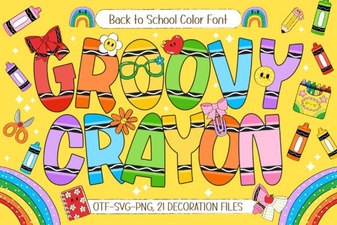 Creative Groovy Crayon Font for Artistic Designs
 Design Tips for Absolute Beginner Font Projects
 Olivia Scatter Font for Creative Designs
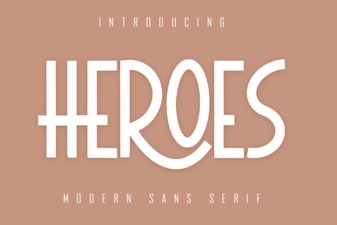 The Heroes Font: Design Ideas & Creative Projects
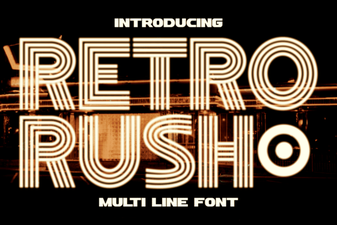 Design Projects with Retro Rush Font
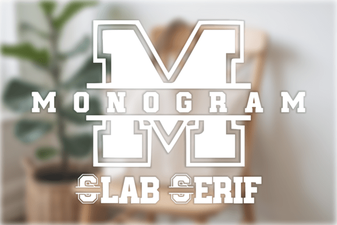 Designing with Monogram: a Bold Slab Serif Guide