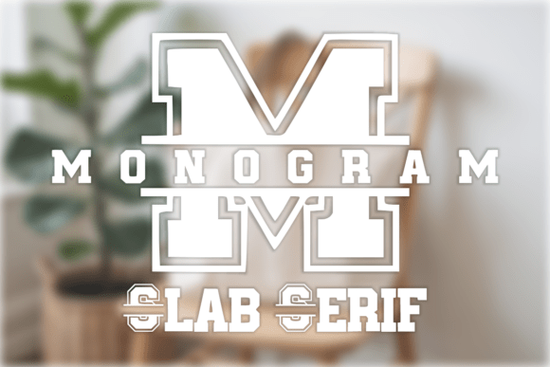
If you’ve been searching for a font that blends classic structure with modern customization, the Monogram Slab Serif Font might be exactly what your next project needs. It’s built for creators who want clean, bold lettering that holds up on everything from vinyl decals to embroidered jackets especially when personalization is the goal. Think family name signs, wedding invites, or even small business logos where initials take center stage.
This isn’t just another decorative typeface. The split monogram design lets you slot names or short phrases right into the center of each capital letter, which opens up tons of creative possibilities without needing advanced design skills. And if you’re using tools like Cricut or Silhouette, you’ll appreciate how cleanly it cuts no jagged edges or lost details.
What kinds of projects work best with this font?
The collegiate, varsity-inspired look makes it a natural fit for:
- Sports teams and school merch think custom jerseys, spirit wear, or locker room signs.
- Wedding stationery elegant monogrammed invites, favor tags, or seating charts.
- Home decor doormats, wall art, or throw pillows with family initials.
- Small business branding boutique logos, packaging stamps, or social media graphics.
- Personalized gifts mugs, notebooks, keychains, you name it.
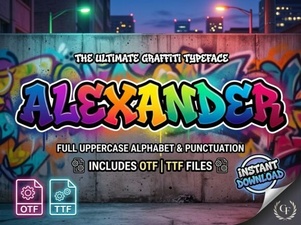
It’s also worth noting how well it pairs with other fonts in your toolkit. For softer, more playful designs, try layering it with something like the Cute Dot Duo for contrast. Or if you’re going full vintage charm, the Alexander Font complements its structured lines beautifully.
Is it easy to install and use across different platforms?
Yes and that’s one of its quiet strengths. You can install it on both Windows and Mac without any hiccups. It also works inside popular design apps like Canva and Procreate, so whether you’re mocking up a quick Instagram post or prepping a layered SVG for cutting, the workflow stays smooth.
The character set includes uppercase letters (with those signature split centers), numbers, and basic punctuation enough to handle most everyday projects without needing to switch fonts mid-design. No weird spacing issues or missing glyphs either, which saves time when you’re on deadline.
How does it compare to other monogram fonts out there?
Many monogram fonts lean heavily ornate or script-based, which can limit where you use them. This one keeps things clean with a slab serif foundation sturdy, readable, and still stylish. That balance makes it versatile: formal enough for corporate use, but casual enough for weekend crafters.
If you’ve tried fonts like Monogram Slab Serif before and found them too fussy or hard to edit, this version simplifies the process. The split design is pre-built, so you’re not wrestling with clipping masks or manual alignment. Just type, insert your center text, and export.
Any tips for getting the most out of it?
A few practical ideas to stretch its potential:
- Use negative space creatively. The open center of each letter is perfect for adding icons, dates, or tiny patterns not just names.
- Scale it big. This font holds detail well, so don’t be afraid to blow it up for wall art or signage.
- Stick to single or double initials. Three-letter monograms can feel crowded unless you adjust tracking slightly.
- Try it in reverse. White lettering on dark backgrounds? It pops beautifully thanks to the thick serifs.
And if you’re selling print-on-demand items, this font photographs well no thin strokes that disappear in product shots or under bright lighting.
Where should you start if you’re new to monogram design?
Pick one simple project first. A personalized coffee mug or a framed initial for a nursery are great entry points. Use the split feature to add a birth year, nickname, or favorite quote inside the letter. Once you get comfortable with placement and sizing, you can scale up to multi-item collections or client work.
You might also explore pairing it with the Monogram Slab Serif variations (if available) for layered effects shadow versions, outlined styles, or condensed widths can add depth without clutter.
Quick checklist before you begin:
- Install the font on your system or preferred app.
- Open your design software and test typing a few letters.
- Insert placeholder text in the center to see how spacing feels.
- Export a sample at actual size to check readability and cut lines.
- Save your base template for reuse it’ll speed up future orders or batches.
Start small, stay consistent, and let the font’s structure do the heavy lifting. You’ll have polished, professional-looking results without spending hours tweaking curves or kerning.
Explore Design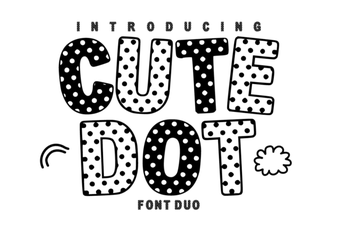 The Cute Dot Duo Font for Creative Projects
 Alexander Font: Design and Implementation Guide
 Design Tips for Absolute Beginner Font Projects
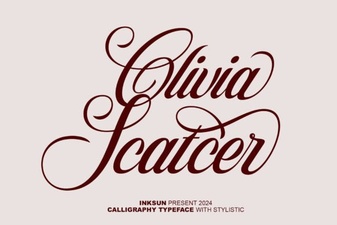 Olivia Scatter Font for Creative Designs
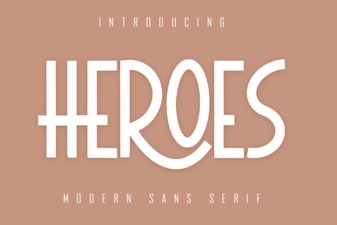 The Heroes Font: Design Ideas & Creative Projects
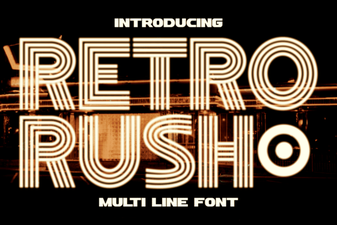 Design Projects with Retro Rush Font