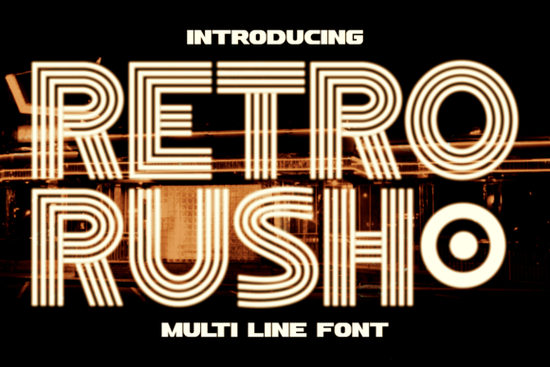
If you’ve been searching for a display font that blends vintage charm with modern edge, Retro Rush Font might be exactly what your next project needs. It’s not just another retro typeface it’s built with layered lines and geometric precision, pulling inspiration from 1920s art deco and 1980s neon signage. Whether you’re designing a poster, packaging, or social media graphic, this font adds instant character without overwhelming your layout.
What makes Retro Rush different from other retro fonts?
Most retro fonts lean heavily into one era either the soft curves of the ‘50s or the pixelated grit of the ‘80s. Retro Rush bridges two distinct decades: the elegance of art deco and the electric glow of neon futurism. Its letterforms are symmetrical and structured, giving it a clean, high-contrast look that reads well even at smaller sizes. The multi-line effect mimics glowing signs you’d see outside vintage theaters or nightclubs, especially when placed against dark backgrounds.
Unlike something playful like Juicy Lemon or whimsical like Magic Unicorn, Retro Rush keeps its personality bold but refined. It doesn’t shout it glows. That makes it surprisingly versatile for both luxury branding and casual retro-themed projects.
Where should I use this font?
Here’s where Retro Rush really shines:
- Logos – Especially for boutique shops, cafes, or entertainment venues with a vintage-modern vibe.
- Movie or event titles – Think drive-in theaters, album covers, or festival posters.
- Social media graphics – High contrast means it pops on Instagram or TikTok thumbnails.
- Invitations and greeting cards – Adds a touch of drama without looking overdone.
- Print-on-demand products – T-shirts, mugs, tote bags anything where you want text to stand out cleanly.
It also pairs nicely with simpler sans-serifs or script fonts if you need supporting body text. For example, try combining it with something minimalist like Fishtail Monogram for contrast in editorial layouts or branding kits.
Is it easy to customize or layer?
Yes and that’s one of its strongest features. Because it’s designed as a multi-line font, you can often separate the layers (depending on your software) to add color fills, gradients, or even subtle animations. In Adobe Illustrator or Affinity Designer, you can ungroup the strokes and tweak them individually. Want a warmer neon? Swap the inner line to orange and keep the outer in deep red. Going for icy futurism? Try cyan with a faint purple outline.
Even without advanced editing, the default version looks polished. No plugins or extra fonts needed just install and start typing. Works across Mac, Windows, and most design platforms including Canva, Photoshop, and Procreate (with font loading enabled).
Will this work for small businesses or side hustles?
Absolutely. If you run an Etsy shop, sell merch on Printful, or manage branding for a local café, Retro Rush gives your materials a cohesive, professional feel without needing a full design team. It’s legible enough for storefront signage but stylish enough to make Instagram posts stop mid-scroll.
One user recently used it for vinyl decals on retro gaming consoles paired with a simple background and drop shadow, the result looked straight out of a ‘80s arcade. Another created wedding invites with a Great Gatsby theme, using gold foil effects over black cardstock. The font held up beautifully in both digital mockups and physical prints.
You can check out the original listing for more samples and licensing details here: Retro Rush Font.
Any tips before I download?
Here’s what helps get the most out of it:
- Use dark backgrounds The neon effect pops best against black, navy, or deep charcoal.
- Avoid tiny sizes While readable, the layered lines lose impact below 24pt.
- Pair with minimal elements Let the font be the star. Too many textures or patterns will compete.
- Experiment with opacity Lowering the fill slightly on inner lines can create a softer glow effect.
And if you’re still exploring options, don’t skip this page it includes alternate characters, stylistic sets, and sometimes bonus swashes depending on the license you choose.
Quick checklist before starting your project:
- ✅ Confirm your software supports OTF/TTF fonts
- ✅ Test print or screen preview at actual size
- ✅ Check commercial license terms if selling final products
- ✅ Save a backup copy layered fonts can be tricky to reinstall if corrupted
Start small maybe a single headline or logo draft and see how naturally it fits your style. Sometimes the right font doesn’t just sit on the page… it lights it up.
Explore Design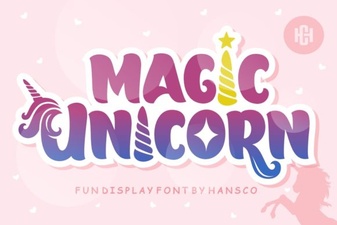 Magic Unicorn Fonts for Creative Design Projects
 Craft Elegant Projects with a Fishtail Monogram Font
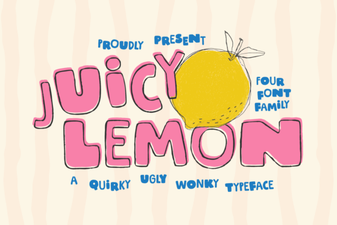 Juicy Lemon Font: Tips & Inspiration for Designers
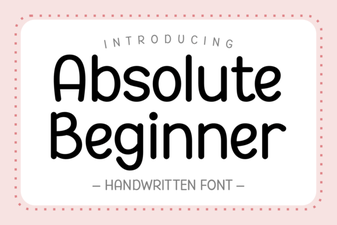 Design Tips for Absolute Beginner Font Projects
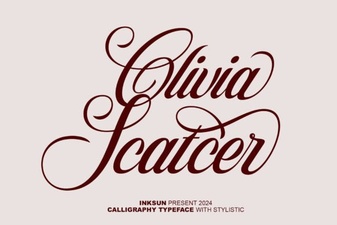 Olivia Scatter Font for Creative Designs
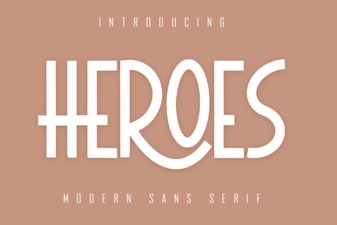 The Heroes Font: Design Ideas & Creative Projects