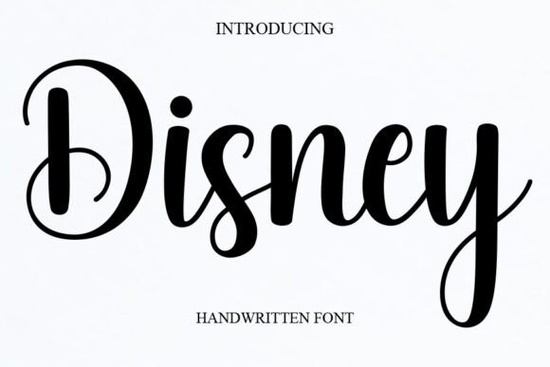
If you’ve ever wanted to add a touch of whimsy and charm to your designs without going overboard, the Disney Font might be just what you’re looking for. It’s a sweet, cursive handwritten style that feels both elegant and relaxed perfect for projects where you want personality without pretense. Whether you’re designing wedding invitations, branding materials, or even baby shower cards, this font brings a joyful, romantic vibe that doesn’t feel forced.
What kinds of projects does this font work best for?
This isn’t a font you’d slap on a corporate annual report and that’s okay. It shines in personal, creative, and lifestyle-focused designs. Think:
- Wedding stationery place cards, menus, save-the-dates
- Greeting cards birthdays, anniversaries, baby showers
- Fashion lookbooks especially boho, vintage, or feminine brands
- Small business logos bakeries, florists, boutiques, Etsy shops
- Social media graphics quotes, promotions, seasonal posts
It pairs beautifully with clean sans-serifs or minimal serif fonts when you need contrast. If you like pairing scripts, try it alongside something like Baby Boho for a playful layered effect, or Brown Carolina Duo if you’re going for rustic elegance.
Is this font easy to use for beginners?
Absolutely. You don’t need advanced design skills to make this font look good. Because it’s a single-style script (not a variable or multi-weight font), there’s less complexity to manage. Just install it, open your favorite design tool Canva, Photoshop, Illustrator, Affinity, or even Silhouette Studio and start typing.
One thing to keep in mind: since it’s a flowing script, avoid using it in all caps or for long paragraphs. Stick to headlines, short phrases, or decorative text. For body copy or smaller labels, pair it with a simple, readable font.
If you’re new to working with script fonts altogether, you might also want to check out Absolute Beginner. It’s designed specifically for those still getting comfortable with how scripts behave in layout software.
How does it compare to other playful script fonts?
Not all cursive fonts are created equal. Some feel stiff. Others are overly ornate. The Disney Font strikes a nice balance it’s fluid but not messy, fancy but not fussy. Compared to something like Rainbow, which leans more into bold, colorful energy, Disney Font is softer and more intimate. It’s the difference between a confetti cannon and a handwritten love note.
That said, if you’re working on something vibrant or kid-focused, Rainbow might actually be a better fit. But for anything that calls for warmth, nostalgia, or subtle sophistication, Disney Font holds its own.
Can I use this for commercial projects?
Yes and that’s one of the reasons it’s so popular with small business owners and print-on-demand sellers. Creative Fabrica includes a commercial license with most of their fonts, including this one. That means you can use it on products you sell: mugs, t-shirts, stickers, digital templates, and more. Always double-check the license details on the product page, but generally, you’re covered for most common uses.
Just remember: you can’t resell or redistribute the font file itself. Only your final designs the things you create with it are yours to monetize.
Any tips for getting the most out of this font?
Here are a few practical ways to make your designs stand out:
- Adjust letter spacing slightly sometimes scripts benefit from a tiny bit of tracking to improve readability.
- Add a subtle drop shadow or outline helps the font pop against busy backgrounds.
- Use sparingly one beautiful headline in Disney Font often works better than multiple lines.
- Pair with texture think watercolor backgrounds, linen paper, or soft gradients. The font complements organic, tactile elements really well.
And if you’re feeling stuck for inspiration, browse Creative Fabrica’s mockup gallery. Seeing how others have used the font can spark fresh ideas especially for seasonal campaigns or themed collections.
Ready to try it out?
If you’re already a Creative Fabrica subscriber, you can download the Disney Font right now. If not, consider grabbing a trial or checking if it’s included in their current bundle deals. Many users find that once they start using fonts like this, they end up exploring more maybe even Rainbow for contrast, or Baby Boho for softer projects.
Quick checklist before you start:
- ✅ Download and install the font file
- ✅ Test it in your preferred design software
- ✅ Pair it with a complementary font for balance
- ✅ Avoid using it for body text or tiny sizes
- ✅ Save your project with outlines (if sending to print or clients)
Start small maybe a quote graphic or a logo variation and see how it feels. Sometimes the simplest fonts become your most-used tools.
Try It Free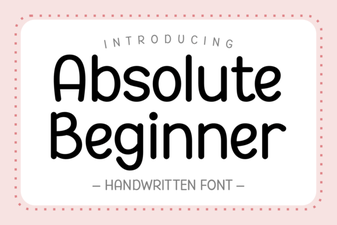 Design Tips for Absolute Beginner Font Projects
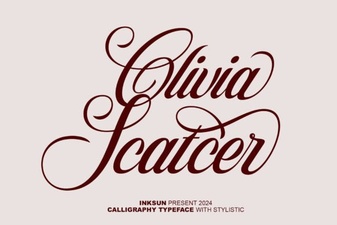 Olivia Scatter Font for Creative Designs
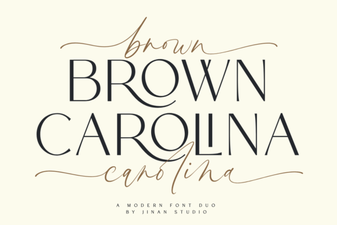 Crafting Projects with the Brown Carolina Duo Font
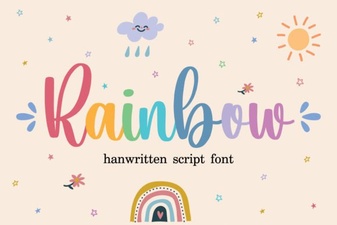 Creative Rainbow Fonts for Modern Web Design
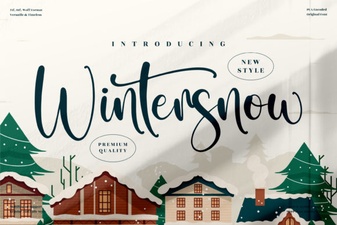 Wintersnow Font: Free Frosty Typography for Creative Projects
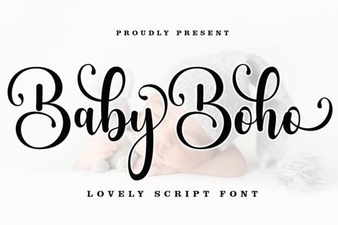 Baby Boho Fonts for Diy Nursery Decor